Huckleberry: Baby Tracker
- 4.9
- Rating
- 1.00M
- Installs
- Free
- Price

 Analysis by App-foxy
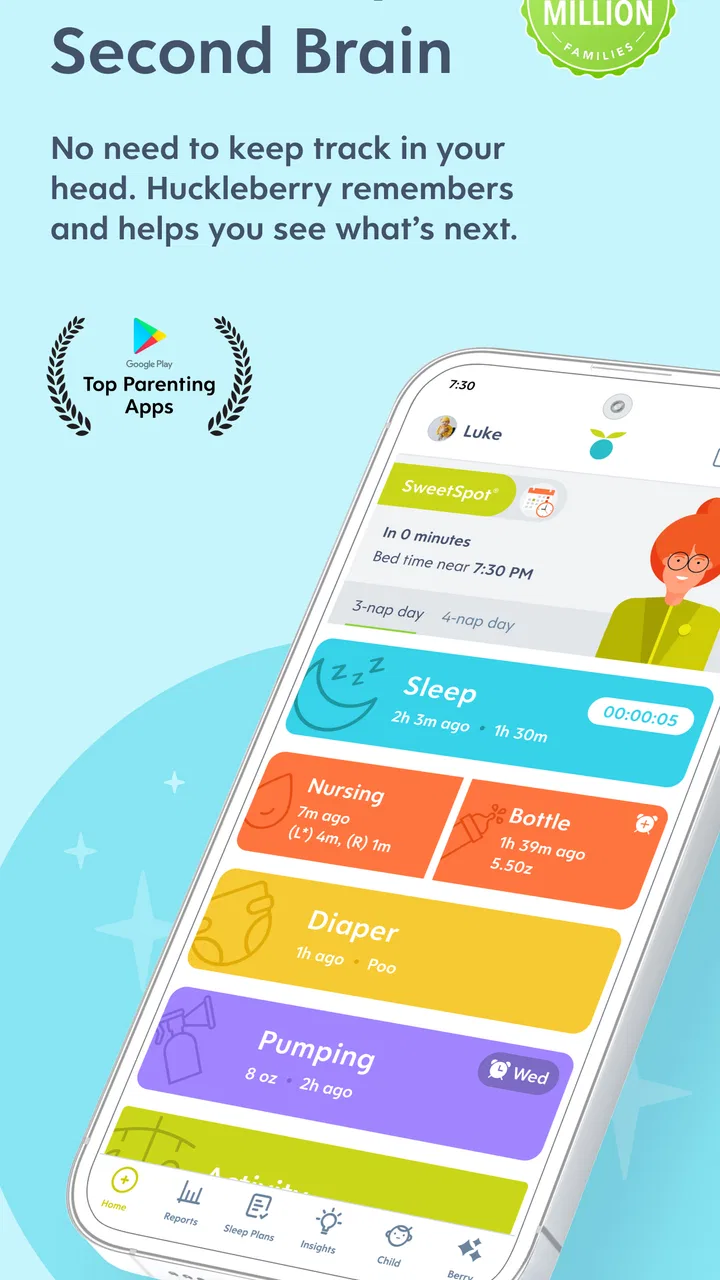
I found Huckleberry: Smart Baby Care most useful when I treated it as a shared record for everyday parenting rather than as an all-knowing sleep solution. It is a free parenting app from Huckleberry Labs, aimed at families who want to record baby care, understand sleep patterns, and get more structured support as their child grows. The central appeal is simple: instead of trying to remember every nap, feeding, diaper change, or bedtime detail while tired, I can put that information in one place and look back at it when a routine feels confusing.
That sounds modest, but the difference matters. New parents often collect information in several places: a notes app, a paper sheet, messages between partners, and memory. Huckleberry gives that information a more deliberate home. My overall impression is positive, especially for parents who like patterns and shared routines. At the same time, I would not use it as a substitute for medical advice, and I would be careful about turning every irregular nap into a problem that needs solving.
What the app feels like in everyday parenting
The app belongs firmly in the parenting category, but it is more focused than a general family organizer. Its identity comes from combining baby tracking with sleep guidance and parenting support. That combination makes it different from a plain timer or a basic diary. I can record an event when it happens, then use the accumulated history to make the next decision with a little less guesswork.
You May Also Like

 Blood Strike: 2.5 Anniversary
Blood Strike’s Loadouts Turn Every Drop Into a Tactical Gamble
A close look at Blood Strike’s custom loadouts: how fast access to signature weapons reshapes its battle royale rhythm, rewards preparation, and narrows the gap between fights.

 Pandora - Music & Podcasts
Pandora’s Music Is Easy to Start, but Harder to Recover
Pandora’s strength is its low-effort path from a seed to a station. Its weak spot is how much confidence it asks you to place in connection, setup, and quiet recovery.

 8 Ball Pool
 Is Built on Rivalries, Rematches, and Routine
A close look at the rivalries, rematches, shared routines, and unanswered safety questions that turn a quick pool match into a persistent mobile community.

 Samsung Music
’s Quiet Strength Is Playing What You Already Own
Its reach comes less from spectacle than from dependable access to a personal library. That simplicity is both the app’s strongest retention engine and its ceiling.

 AccuWeather: Weather Radar
AccuWeather Review: A Quick, Clear Forecast for Everyday Decisions
For everyday plans, the best forecast is the one you can understand quickly. AccuWeather makes rain timing, radar, and local conditions easy to act on, with a few trade-offs.

 Hill Climb Racing
Why Hill Climb Racing Still Turns Crashes Into One More Run
A tiny car, a bumpy hill and one more upgrade: Hill Climb Racing keeps resurfacing because its simple chaos makes every near-miss feel personal.
More From Our News Desk



A realistic use case is a late afternoon with a tired baby and two adults who remember the day differently. One parent may think the last nap ended recently, while the other remembers a short doze in the car. Opening the day’s record can settle that disagreement quickly. The value is not that the app magically fixes the schedule; it is that both parents are working from the same timeline instead of relying on exhausted recollection.
I also like the idea of using it during handoffs. If one person handles the morning and another takes over after work, an updated record can explain what has already happened without requiring a long conversation. That is particularly helpful when the baby’s day includes several small events that are easy to forget. The app becomes a practical memory aid, not just a collection of charts.
Its audience is broad enough to cover different stages of early parenting, but the best fit is a household that will actually log events consistently. If you dislike tracking, the app may feel like another obligation. A tracker only becomes useful when the information is reasonably complete; a few isolated entries can create a misleading picture. I would rather record the moments that affect decisions than attempt to document every second of the day.
Sleep support without surrendering judgment
The sleep side is where Huckleberry stands apart from a simple baby journal. It is designed to offer expert sleep help, which can make the transition from raw records to practical guidance feel more approachable. In my experience, that is most useful when I need help spotting a routine issue, not when I expect a rigid timetable that will work perfectly every day.
Babies are not machines, and travel, illness, growth, visitors, and ordinary bad luck can disrupt even a carefully followed plan. I would use the guidance as a starting point for observation. If the suggested approach fits what I am seeing, I can try it and watch the result. If it does not fit, I would adjust rather than forcing the baby into an uncomfortable schedule simply because the app suggested it.
That distinction is important for trust. A confident-looking recommendation can be reassuring, but it can also make a parent feel responsible when real life refuses to cooperate. Huckleberry works best when it supports parental judgment. It should help me ask better questions about timing and habits, while health concerns, persistent sleep problems, feeding worries, or unusual behavior belong in a conversation with a qualified professional.
How I would set it up for a useful first week
I would begin with a small set of events that directly affect sleep and care decisions, rather than trying to create a perfect historical record. The first goal would be consistency. I would ask everyone who cares for the baby to use the same entries and to avoid entering the same event twice. That simple agreement is more valuable than filling the app with uncertain details.
After several days, I would look for repeated relationships rather than reacting to one difficult night. For example, I might compare the timing of the last nap with bedtime, or check whether a short daytime sleep is followed by a noticeably harder evening. The useful insight is not a single number; it is the pattern that appears often enough to guide a small experiment.
One practical tip is to review the record when the baby is calm, not during the most stressful part of bedtime. In the moment, I am likely to interpret every delay as evidence that the whole routine is wrong. A calmer review makes it easier to separate a one-off disruption from a recurring issue. This is one of the less obvious benefits of tracking: it can reduce emotional guesswork, but only if I use it reflectively.
Trust, controls, and moments that deserve care
Because this is a parenting app, trust is not an abstract extra. The information entered can describe a child’s daily life and a family’s routines. I would therefore judge it not only by whether the tracking feels convenient, but also by how deliberately I manage the account. The app is free to install, with optional in-app purchases listed from $11.99 to $119.99 per item. That makes it possible to start without paying, while also making it sensible to check which support is included before committing to anything.
The visible product details identify Huckleberry Labs as the developer and show an Everyone content rating. The app has reached over one million installs, with a 4.8 average from around 31 thousand ratings and roughly 3.5 thousand written reviews. Those figures suggest that many families find the concept worthwhile, but popularity is not a privacy guarantee and a high rating does not remove the need to review choices inside the app.
I would pay attention during account creation, onboarding, and any screen that asks me to enable a service or provide additional information. Those are the moments when users can accidentally accept more than they intended simply because they want to reach the main tracker quickly. My approach would be to read each prompt, choose only what I understand, and revisit settings later when I have time rather than tapping through automatically.
I would also separate convenience from necessity. If a permission or account option is clearly needed for a feature I want, I can make an informed decision. If it appears unrelated to my preferred use, I would leave it off until I understand the benefit. That is not a criticism specific to Huckleberry; it is a sensible habit for any app handling family information. The safest setup is the one that matches the features I genuinely plan to use.
Where sensitive information enters the routine
Data sensitivity is not limited to a formal sign-up screen. It appears whenever I record a baby’s care, share access with another caregiver, or use guidance based on the accumulated history. A daily log can reveal when a household wakes, when a child sleeps, and how care is divided. Even when each entry seems harmless, the overall timeline can become personal.
For that reason, I would avoid entering details that are not necessary for my own tracking goal. If I only need to understand naps, I do not need to turn the app into a complete biography. I would also think carefully before adding identifying notes that could make the record more sensitive than it needs to be. Keeping entries focused makes the app easier to use and limits the amount of information I am choosing to maintain.
Shared use deserves equal attention. A partner or caregiver may need access to the routine, but that does not mean every person involved in childcare should automatically see everything. I would discuss who needs the information, what they need it for, and whether an account can be removed or access changed when circumstances change. Those are ordinary household controls, yet they are easy to overlook when everyone is tired and simply wants the next nap recorded.
I would also avoid treating the app as a clinical record. Tracking can help me describe a pattern to a pediatrician, but I would not assume that an in-app suggestion evaluates a medical condition. If a baby seems unwell, has feeding difficulties, or shows a persistent issue that worries me, I would take the concern to a healthcare professional instead of trying to solve it through schedule adjustments.
Keeping control when the app becomes part of family life
The longer I use a tracker, the more important user agency becomes. A helpful app should fit around the family, not make the family feel judged by missed entries. I would give myself permission to pause logging during a difficult day, correct an entry when I remember it was wrong, and ignore a recommendation that does not suit the child or the household.
One useful workflow is to make a weekly review a separate activity from live tracking. During the day, I would record quickly and move on. Later, I would look at the broader picture and decide whether one small change is worth testing. Changing several things at once makes it impossible to know what helped, while changing nothing because the record feels overwhelming defeats the purpose of using it.
Another trade-off is precision versus attention. Detailed tracking can reveal patterns, but constant phone use can distract me from the baby and make parenting feel like data entry. I would choose the minimum detail that answers my current question. If I am investigating bedtime resistance, I would focus on sleep-related events. If the issue has passed, I would reduce the tracking burden rather than continuing at maximum intensity.
Families should also decide in advance how they will handle disagreement. If one caregiver prefers following guidance closely and another prefers a looser routine, the app can become a source of conflict instead of help. I would agree that recommendations are experiments, not rules, and that the baby’s comfort and the household’s wellbeing matter more than producing a perfect-looking log.
What to expect from the free starting point
The free price makes Huckleberry easy to try without immediately making it a financial commitment. I would use that opportunity to test whether logging fits naturally into my day and whether the app’s style of guidance matches how I think. The important question is not whether every advanced option is available at the beginning; it is whether the basic experience already saves enough effort to justify continuing.
Optional purchases may appeal to parents who want more extensive sleep help or additional support, but I would not buy them simply because I felt anxious after one difficult night. I would first identify the exact problem I want help with, use the free experience long enough to understand my routine, and then decide whether paid guidance addresses that problem. This keeps the purchase connected to a real need rather than to parental guilt.
The app’s current version is 0.9.286, and it requires at least OS 10. That is useful to know before planning a shared setup across family devices. If one caregiver uses an older phone or an unsupported system, the household may need a different handoff method. I would check compatibility before relying on the app as the only source of the day’s information.
Who should choose it, and who may prefer something else
I would recommend Huckleberry to parents who want more structure than a notes app provides but do not want to build their own spreadsheet. It is particularly suitable for families sharing care, parents trying to understand sleep patterns, and people who appreciate guidance alongside tracking. The combination gives the daily record a purpose: I am not only documenting what happened, I am using it to make the next routine decision more thoughtfully.
I would be more cautious if tracking increases anxiety. Some parents feel calmer when they can see a pattern; others become preoccupied with whether every nap is long enough or every interval is ideal. In that situation, a very simple paper log or a basic timer may be healthier. The best parenting tool is the one that reduces mental load, not the one with the most information.
I would also look elsewhere if my main need is something outside Huckleberry’s focus. A general family calendar may be better for appointments, household tasks, and older children’s activities. A medical record system may be more appropriate for clinical information. A plain notes app may win for parents who want complete flexibility and no guided interpretation. Huckleberry’s strength is its focused approach, and that same focus means it should not be expected to replace every family tool.
There is a further limitation in relying on any digital tracker: it works only when the household remembers to use it and understands the same labels. A missed entry can make a day look more orderly or chaotic than it really was. I would treat the record as useful evidence, not absolute truth. That mindset prevents the app from taking over decisions that still require observation, context, and common sense.
My cautious recommendation after using it
Huckleberry: Smart Baby Care is a thoughtful option for parents who want a clearer view of baby care and sleep without managing a homemade system. I like its potential to turn scattered memories into a shared routine, and I think its sleep guidance is most valuable when used as a flexible aid rather than a command. The free entry point also makes it reasonable to test before considering any optional purchase.
My recommendation comes with a clear boundary: use it deliberately. Set up only the account choices and permissions you understand, record information that serves a real purpose, and review the routine without letting the app grade your parenting. Keep health decisions with qualified professionals, and do not assume that a polished timeline can explain every difficult day.
For the right family, the app can provide calm, practical structure at a time when memory is unreliable and handoffs are messy. For a parent who dislikes tracking or feels more anxious after seeing patterns, it may create extra pressure. I would start lightly, involve the people who actually share care, and judge the app by one question: does it give me more clarity than work? If the answer is yes, Huckleberry is worth keeping in the parenting toolkit.
FAQs for Huckleberry: Baby Tracker
01What features does Huckleberry: Smart Baby Care offer?
Huckleberry: Smart Baby Care provides a comprehensive suite of features designed to assist parents in managing their baby's sleep, feeding, and overall health needs. It includes personalized sleep plans, feeding schedules, and tracking tools for diaper changes. Additionally, the app offers expert advice tailored to your child's specific developmental stage.
02Is Huckleberry: Smart Baby Care free to use?
Huckleberry offers a free version with basic features, which includes sleep and feeding tracking. However, to access premium features such as personalized sleep plans and expert advice, users need to subscribe to the app's premium plan. This subscription can be monthly or annually, depending on your preference.
03How does Huckleberry help improve my baby's sleep?
Huckleberry uses advanced algorithms and expert insights to create a personalized sleep plan for your baby. By analyzing sleep patterns and other relevant data, the app provides recommendations on optimal nap times, bedtime routines, and helps identify sleep disruptions, ensuring your baby gets the rest they need.
04Can multiple caregivers use Huckleberry for the same child?
Yes, Huckleberry allows multiple caregivers to access and update the same profile, making it convenient for parents, babysitters, and family members to stay informed. This feature ensures that everyone involved in the child's care is on the same page, enhancing communication and consistency in childcare.
05Is my data safe and secure in Huckleberry?
Huckleberry prioritizes user privacy and data security. The app uses encryption and follows industry-standard practices to protect your data. Personal information is only used to enhance the app's functionality and is not shared with third parties. Users can also manage their data preferences within the app settings.
Pros
- Intuitive interface for easy navigation.
- Comprehensive sleep tracking features.
- Personalized insights for baby care.
- Syncs with multiple devices seamlessly.
- Offers expert-backed parenting tips.
Cons
- Limited free features without subscription.
- Occasional app crashes reported.
- Requires constant internet connection.
- Not all features are customizable.
- May be overwhelming for new users.

Huckleberry: Baby Tracker
Gallery